Ovation for Desktop

Practice anywhere with Ovation Desktop

Rehearse presentations, interviews, and difficult conversations from a laptop or desktop computer. Ovation gives learners realistic AI-driven practice and clear coaching feedback, no VR headset required.
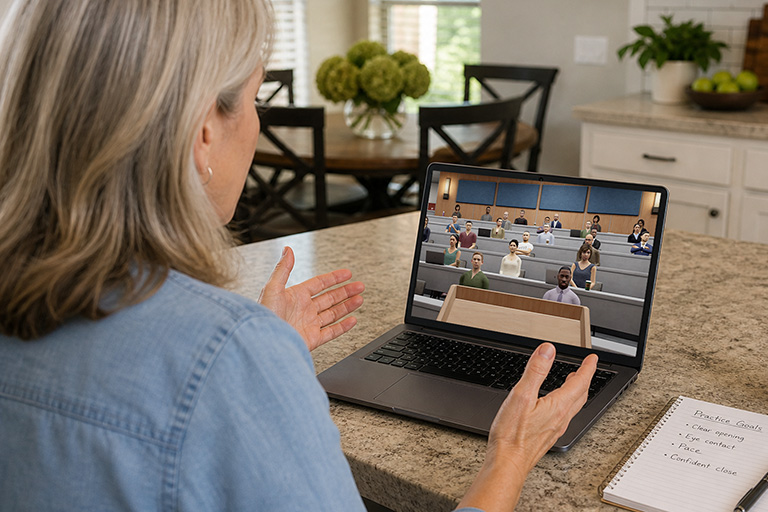
Ovation Desktop app practice session interface
Download on Windows
Coming soon to Mac

No VR headset required

Practice from almost anywhere

Learners can rehearse from a laptop or desktop computer without needing scheduled lab time or headset access.

Runs on everyday computers

Ovation Desktop is built for low-spec hardware, so learners can practice from a laptop or desktop computer without needing specialized equipment.

Lower the barrier to starting

Ovation Desktop makes it easy for users to begin practicing right away, then later deepen the experience with fully immersive VR.

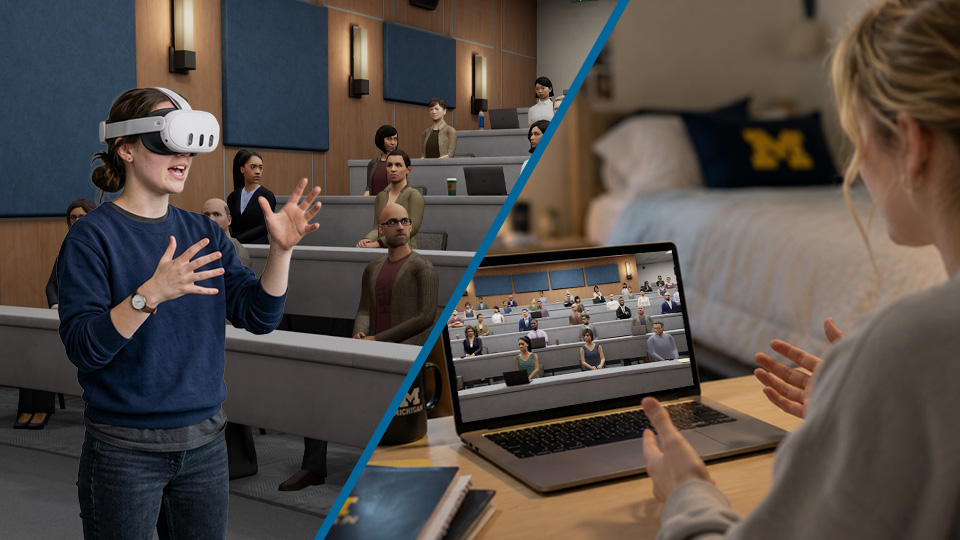
One license, two ways to practice

Headset practice and laptop practice shown as two ways to use Ovation

VR App

  • Best for immersive, high-pressure rehearsal
  • Uses a compatible VR headset
  • Creates stronger presence and realism
  • Ideal for labs, simulations, and in-the-room practice

Desktop App

  • Best for flexible practice anywhere
  • No VR headset required
  • Great for assignments, quick sessions, and repeated reps
  • Easier for learners to start on their own computer

Start your trial in three quick steps

1

Create your account

Set up your Ovation login so your practice sessions, feedback, and progress stay connected.

Create Account
2

Choose your plan

Select an Individual or Organization trial. It can be canceled anytime.

3

Download Ovation

Install Ovation for desktop or VR, then sign in and start your first practice session.

Need licenses for a class, lab, or program? Book a Demo to discuss concurrent licensing and institutional pricing.